How to Use the HTML Block Element
🎯 The HTML Block element lets you embed arbitrary HTML content or bind dynamic values for custom renderings. Use it for small widgets, embedded markup, or custom formatted output.
👉 Adding an HTML Block
- Add a new element and select HTML Block.
- Give it a friendly name (e.g.,
htmlblock,CustomWidget). - Position and size the element using the editor canvas.
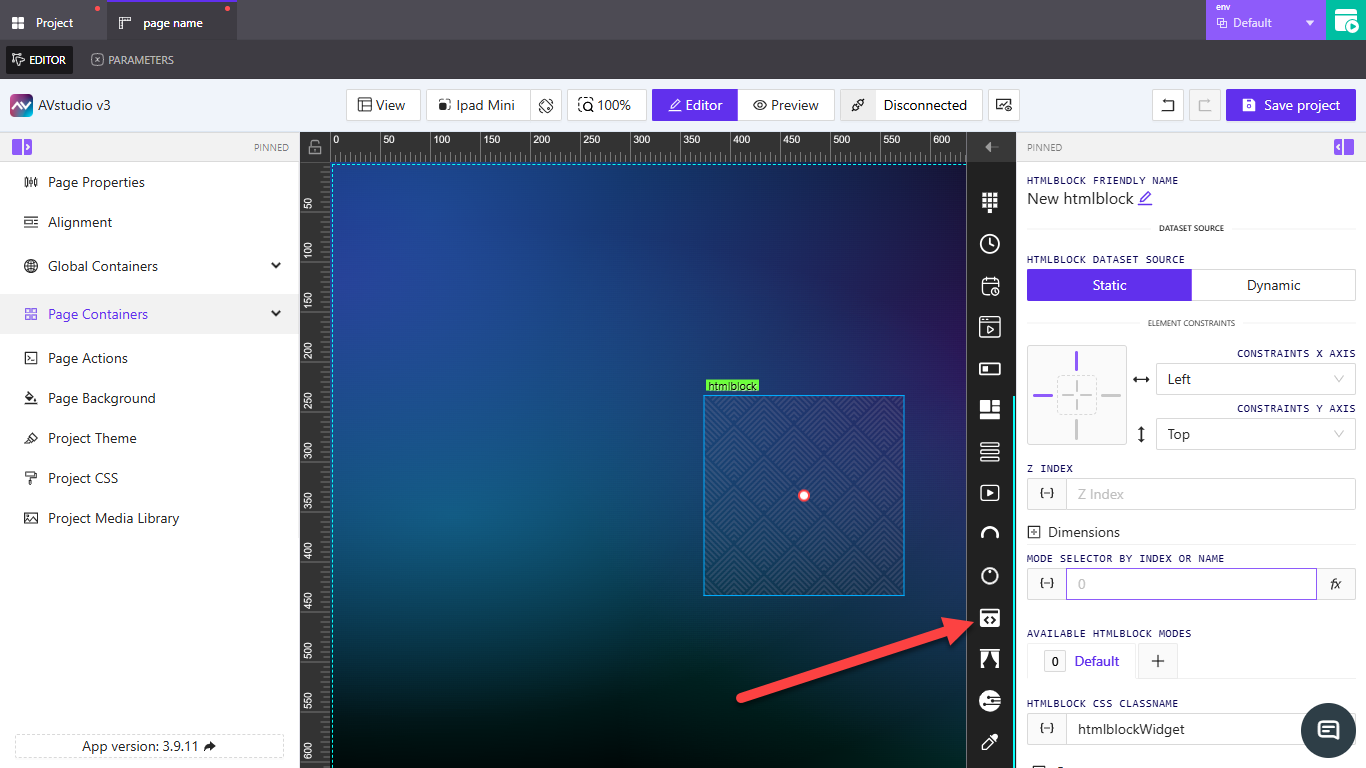
👉 Dataset Source
- Static — Paste static HTML or text.
- Dynamic — Bind to a dataset signal or parameter to render dynamic HTML fragments or values.
Select the option under HTMLBLOCK DATASET SOURCE in the right panel.
👉 Constraints, Dimensions & Z-Index
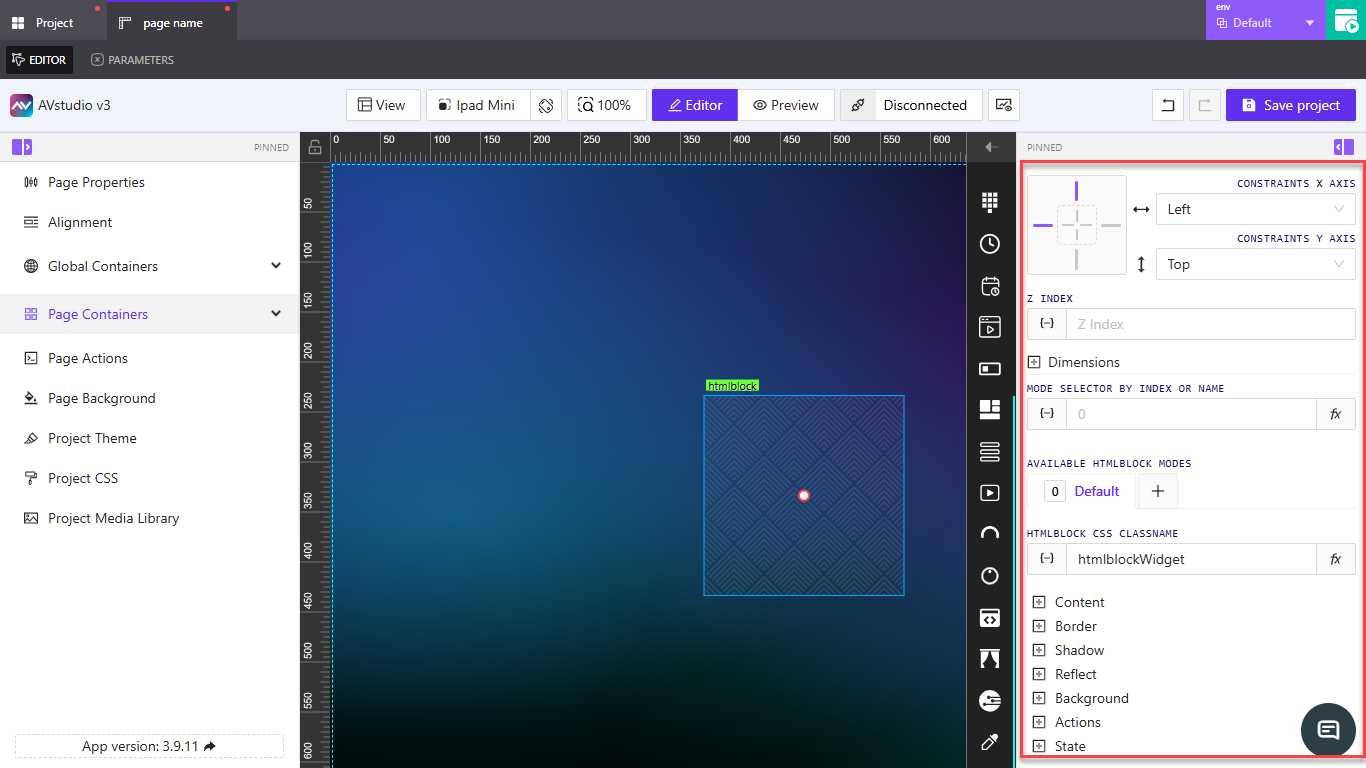
Use the Element Constraints controls to anchor the block (Left/Top/Center/etc.). Set Width/Height in Dimensions. Adjust Z Index for stacking order. These controls appear in the right properties panel.
👉 Styling and Modes
- HTMLBLOCK CSS CLASSNAME — Apply a project CSS class (e.g.,
htmlblockWidget) to scope styles. - Available Modes — Create multiple modes (Default, Alternate) and switch by index or name.
- Use project CSS (Project CSS) for global styles, or inline style tags inside the HTML content if needed.
👉 Content and Security
- For Static content, paste trusted HTML only (avoid unsafe scripts).
- For Dynamic content, sanitize inputs server-side if rendering user-provided HTML.
- Prefer using CSS classes and external styles for consistent theming.
👉 Actions & State
- Add Actions to respond to clicks or other events (e.g., open URL, set mode).
- Use State controls to toggle visibility, disabled state, or mode selection via signals.
📌 Key Points
- Flexible for custom layout and rich content.
- Use CSS classname for styling and theming.
- Choose Static for fixed markup, Dynamic to render bound content.
- Sanitize or avoid untrusted scripts.
❓ FAQ
Can the HTML Block run JavaScript?
Scripts may be blocked or unsafe depending on the runtime — avoid embedding untrusted JS. Use actions and signals for interactivity.
How do I style the block globally?
Add rules to Project CSS and reference the HTMLBLOCK CSS CLASSNAME.