How to Create a Project
Learn how to create a project in AVstudio—start from scratch, clone an existing one, or use community and personal templates.
There are several ways to start a project in AVstudio. You can create a new one from scratch, duplicate an existing project, or start with a template. This guide walks you through each option.
Create a New Project from Scratch
To start fresh:
- Click the
+ New Projectbutton in the top-right corner of your dashboard. - In the
Create New Projectwindow:- Enter your desired
project name - Choose a
themefrom the dropdown menu
- Enter your desired
- Click
Add new projectto finish.
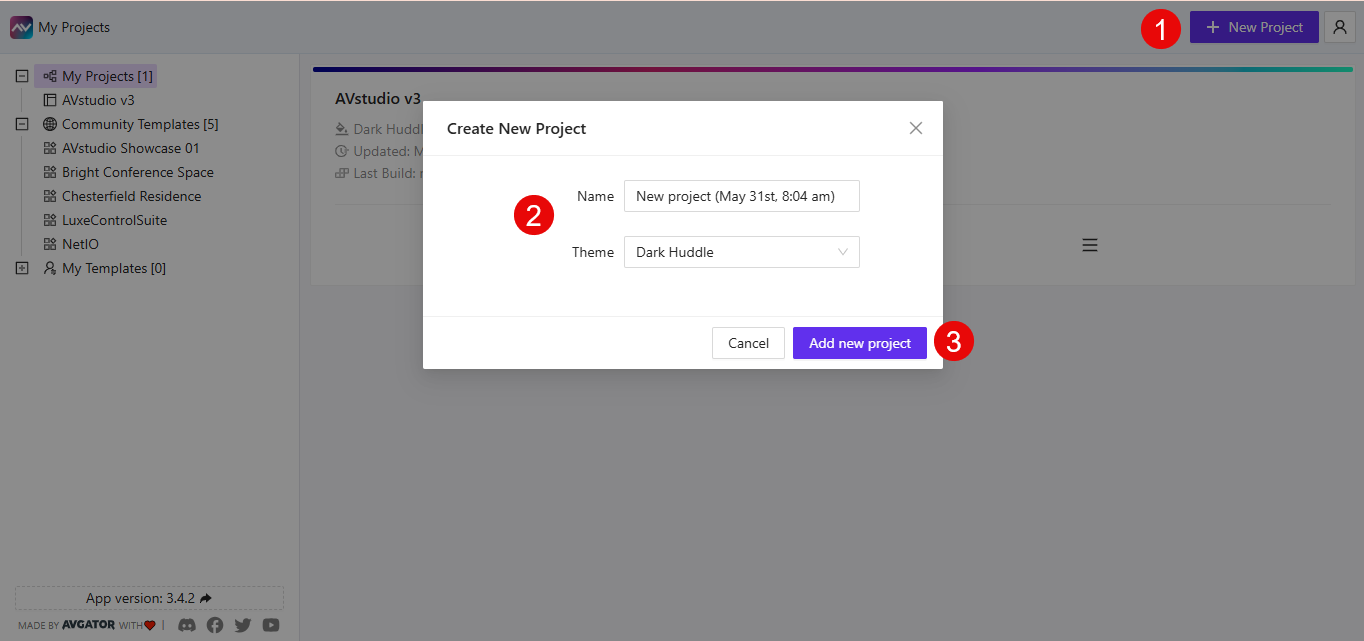
New projects are saved under the My Projects section in the sidebar.
Clone an Existing Project
You can duplicate any of your existing projects as a starting point.
- Go to the
My Projectspanel - Hover over a project and click the
☰(hamburger) menu - Select
Clone Project
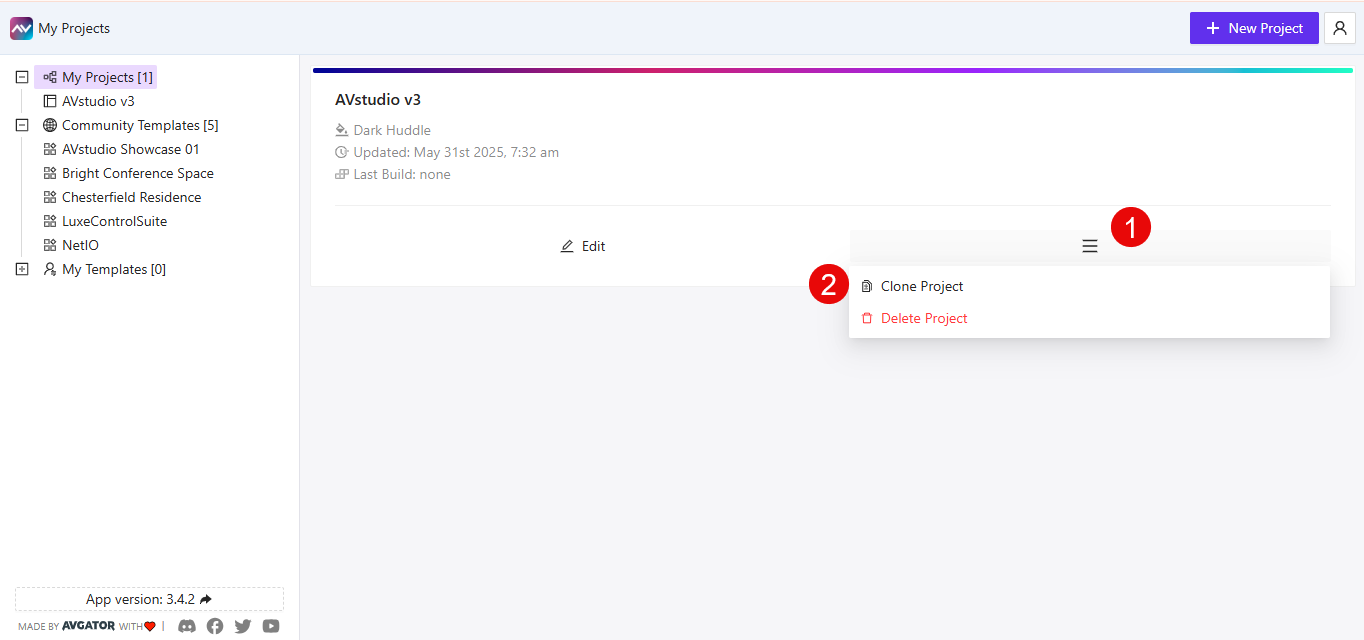
The cloned project will appear in your list with the original name followed by _clone. You can rename it at any time.
Use Community or Personal Templates
You can also create a new project by cloning a predefined template.
Clone a Community Template
- Expand the
Community Templatessection in the sidebar - Select a template
- Click
Clone to my Projects
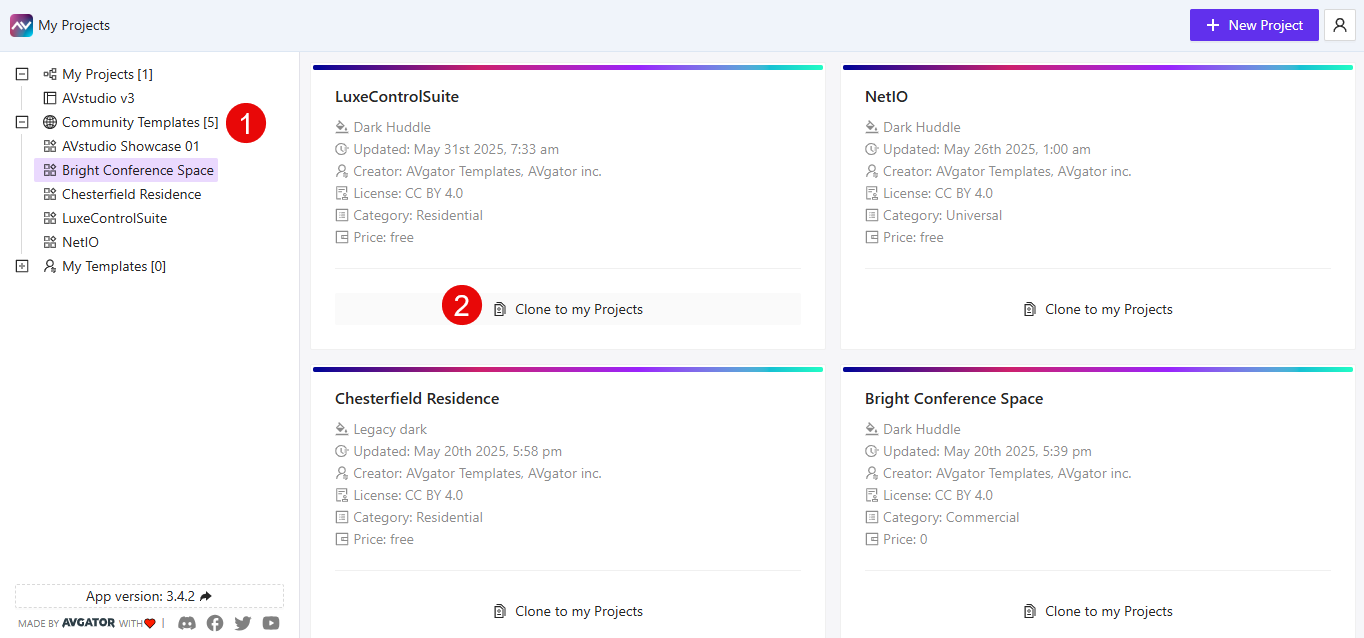
The new project will appear in your list with the name of the template followed by _clone.
Clone a Personal Template
- Expand the
My Templatessection (if available) - Select a saved template
- Click
Clone to my Projects
This works the same way as community templates, and you can rename the project after cloning.
Summary
You can create a new AVstudio project in three ways:
👉 Start from scratch using the + New Project button
👉 Clone an existing project from your My Projects list
👉 Use a template from the Community Templates or My Templates sections
Each method helps you jumpstart your design workflow—whether you're building something new or reusing past work.