Connected interface examples
The October 2026 Product Guide combines the editor's components into weather, media-control, and apartment-control examples. Use these patterns to connect incoming data, visual state, and outgoing actions in your own project. The examples require their corresponding services and integration configuration.
Weather dashboard
The guide's weather page uses an Open-Meteo Web datasource, supports several cities, refreshes every five minutes, and displays the model timestamp. Temperature, condition, humidity, wind, icons, and background appearance follow the selected data. Its separate demo-condition controls let a designer inspect rain, snow, and other appearances.
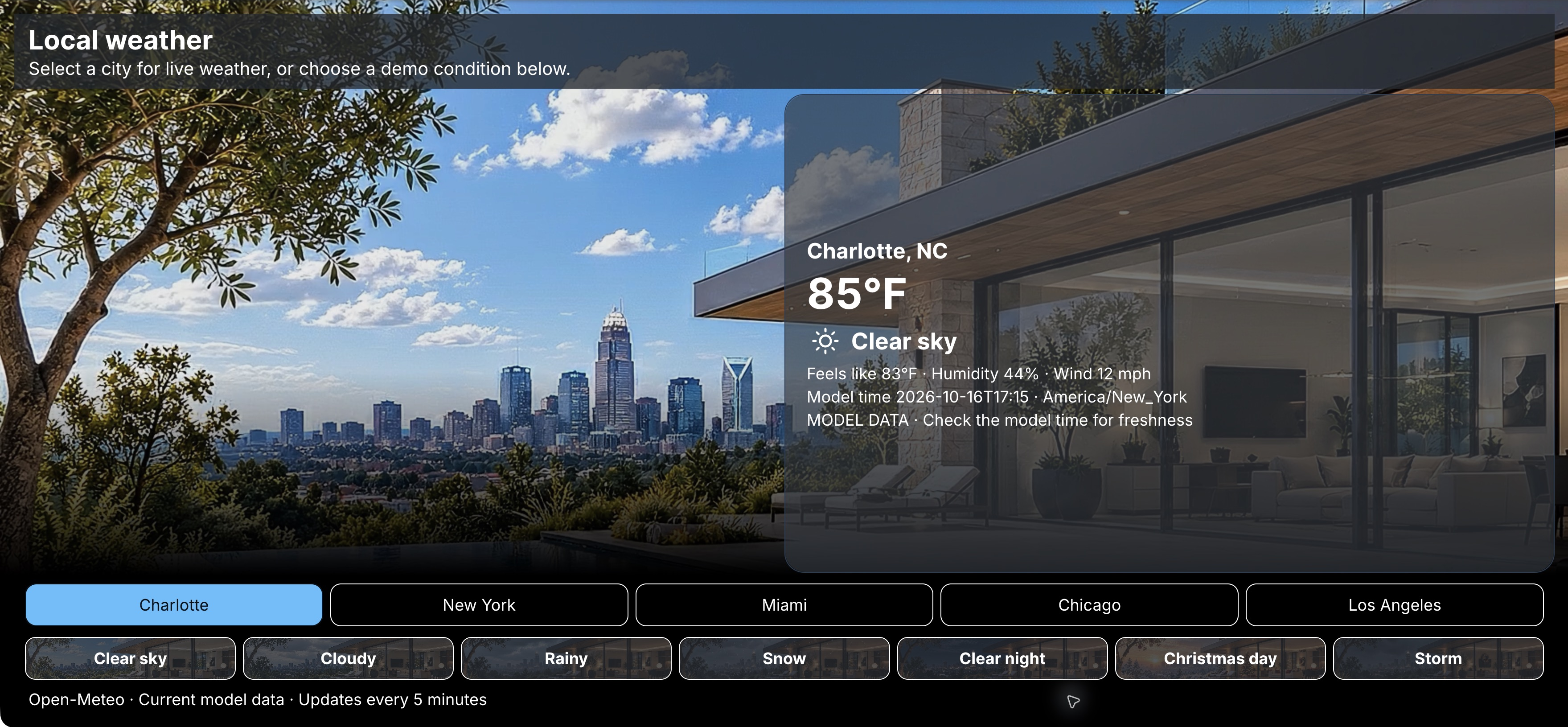
The guide's captured values are an example, not current weather. City selections request model data; demo-condition selections supply simulated appearances.
Assemble the data path
- Create a Web connector for the service's base address.
- Create a datasource, select Web (HTTP) and the connector, and configure the request's URL postfix. The guide's five-minute refresh corresponds to a Polling interval of
300000milliseconds. - Inspect the actual response. Select a synchronous datasource formatter when the page needs a simpler object containing display labels, icon names, and timestamps.
- Attach the datasource to its consuming elements and use the dynamic-value picker to select fields. Match each field path to the formatter's output.
- Use modes, images and icons, or background bindings to express the condition visually. Keep text labels and units alongside the visual treatment.
- Test a successful response, a failed request, and a city change in Live Preview. Inspect Console and Network when a value does not update.
Display the source timestamp and identify simulated conditions explicitly. A successful request and a recently refreshed browser do not necessarily mean the model timestamp is recent. If you provide local fallback data, label that state too.
Media remote with a live picture
The guide's Roku and Fire TV example publishes MQTT commands through an AV control service and displays MJPEG feeds of the devices' video outputs. The interface combines a Dpad, playback controls, status values, and a live image. This pattern requires a configured control service and video feeds; adding a device label does not create those connections.
| Part | Configure in NG | Verify |
|---|---|---|
| Broker connection | MQTT connector | Runtime can connect using the broker's actual listener and credentials. |
| Direction/playback controls | Dpad, Buttons, and MQTT actions | The service receives the intended topic and payload for each event. |
| Status and command result | Variables and external setters, or an MQTT datasource | Incoming messages update the expected labels and states. |
| Video-output picture | Image element with MJPEG | The feed loads on the intended runtime and shows the correct device output. |
Test one command at a time. Confirm the physical device responds, its output picture changes, and the reported status follows. A command-result label, a connected broker, and a running image stream each establish a different part of that path. A feed can remain available while the command service is disconnected.
Use the service's defined command map and payloads. Dpad JSON context tokens can identify a pressed direction when the receiving service expects that format; a Crestron Join Map addresses a different integration.
Spatial apartment controls
The guide also shows a rotating apartment model with room states and controls for lights, blinds, and TV. The 3D presentation is custom implementation work. Use the built-in component catalog to identify standard controls, and plan the model rendering and interaction separately.
Keep equipment feedback explicit when adding a spatial view: selecting a room or animating a model does not establish the state of its devices. Verify bindings and actions through the same DevTools and connected-testing workflow.