Project files and path conventions
An AVstudio project is a folder containing avstudio.config. A VS Code workspace can contain more than one project. The conventional project folder name is AVstudio UI.
Workspace and project roots
The workspace root is the folder you open in VS Code. The AVstudio project root is the folder containing avstudio.config, usually AVstudio UI inside that workspace. Most stored project references start from the AVstudio project root, not from the workspace or your computer's filesystem root.
my-workspace/
├── .agents/skills/avstudio-guide/   # Generated AI guide and references
├── .vscode/launch.json             # Shared Live Preview launch configuration
├── .gitignore                     # Source-control exclusions
└── AVstudio UI/                   # AVstudio project root
Open the workspace in VS Code, expand AVstudio UI in Explorer, and open avstudio.config to inspect its recognized project configuration.
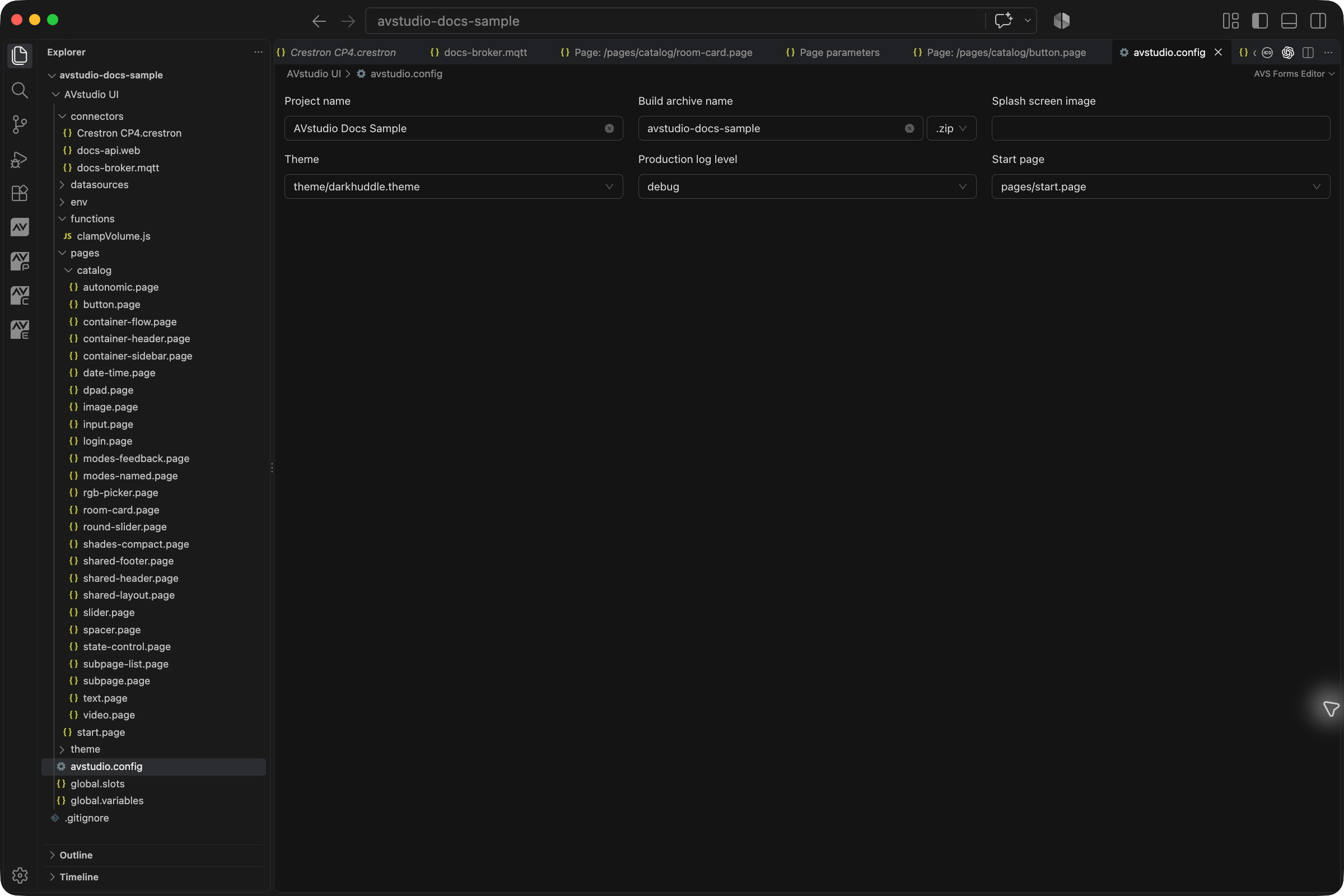
The sample screenshot is from NG 0.1.54. Expanded page folders can push other folders outside the visible area; the reference tree below describes their roles, not an assertion that every folder is visible in the screenshot.
Project folder map
AVstudio UI/
├── avstudio.config
├── pages/                 # .page files and optional folder CSS
├── connectors/            # Connector JSON files
├── datasources/           # .datasource, local JSON, formatters
├── functions/             # JavaScript functions
├── global.variables
├── global.slots
├── assets/
│   ├── images/
│   ├── audio/
│   ├── video/
│   └── icons/
├── theme/                 # Per-theme folders
│   └── darkhuddle/
│       ├── darkhuddle.theme
│       └── globalStyles.css
├── elements/              # Custom HTML component folders
├── env/                   # Optional deployment values
│   └── development.env
├── README.md
└── build/                 # Latest generated archive
Files and their roles
| File or folder | What belongs here | Related guide |
|---|---|---|
avstudio.config | Project identity, archive output, start page, active theme, and production logging. This file marks the folder as an AVstudio project. | Build settings |
pages/ | Page JSON in .page files, including containers, elements, modes, actions, and page parameters. Organize related pages in subfolders. | Pages and layouts |
connectors/ | Connection settings in type-specific files such as .crestron, .mqtt, .web, or .knx. | Connectors |
datasources/ | .datasource definitions, local data files, and associated formatters. A definition and its local JSON result are different files. | Datasources |
functions/ | JavaScript function source referenced by formatter or function-action settings. | Functions |
global.variables | Project-wide named variables, defaults, feedback bindings, and side-effect actions. | Variables |
global.slots | Top, bottom, left, and right shared page assignments and their visibility rules. | Subpages and slots |
assets/ | Required images, audio, video, and icon pack files. | Component catalog |
theme/ | Theme definitions and their sibling CSS/font/image dependencies. The configuration selects the active theme. | Project settings |
| Theme companion CSS | Sibling *.css beside the active .theme, loaded while that theme is active. New 27.0.29 projects seed globalStyles.css; navigation transitions are theme keys. Other companion files remain supported. | Theme companion CSS |
elements/<id>/ | Local HTML entry, optional manifest, and component dependencies. | Custom Element |
env/*.env | Optional per-deployment constants referenced by @env:KEY@. | Environment files |
README.md | Generated project overview; Generate project README asks before overwriting. | Project handoff |
build/ | Generated delivery archive. It is output, not the editable source. | Build and deployment |
Use the extension's creation commands when adding a new entity so its supported structure and filename are generated. A page is not created by renaming an arbitrary JSON file to .page.
Data formats
Pages, connectors, datasources, themes, variables, slots, and configuration contain JSON. avstudio.config, global.variables, and global.slots use their exact filenames; do not append .json.
env/*.env uses dotenv text, not JSON. The folder is optional; a project without it is valid. Environment values resolve from the selected file in the editor and from a separate file choice during production builds. See Environment files. Custom components use HTML/CSS/JavaScript and an optional JSON manifest under elements/.
Source versus generated files
Edit pages, themes, variables, and other project source in their NG editors or supported source format. Rebuild when you need a new archive. Editing an extracted build does not update the editable project and those changes are not carried into the next build.
The workspace's generated AI guide sits outside AVstudio UI. It teaches assistants the data model and is not an application page or runtime asset:
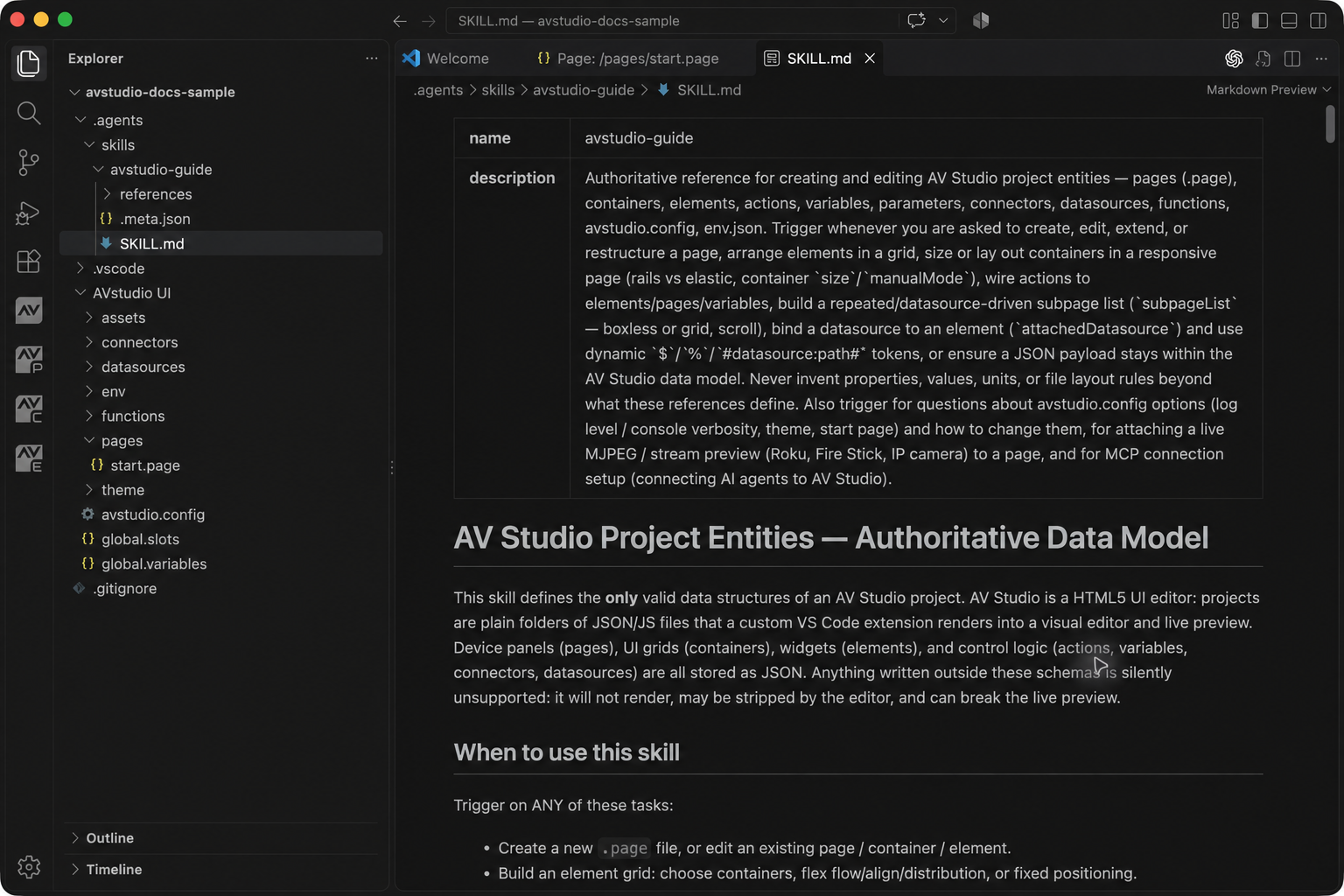
Local MCP client settings and discovery data are tooling configuration too. They are not connector files and should not be placed into the project's runtime data folders. See AI assistance and MCP for that setup.
Reference conventions
| Reference | Example |
|---|---|
| Configured start page | pages/start.page |
| Active theme | theme/darkhuddle/darkhuddle.theme |
| Connector reference | connectors/processor.crestron |
| Datasource key | datasources/rooms.datasource |
| Asset reference | assets/images/logo.svg |
| Datasource local file | ./rooms.json, relative to its datasource folder |
| Nested subpage | ./subs/card.page, relative to the containing page's folder |
| Start-page navigation | / |
Use project-root pages/ paths for stored page-flip, overlay, and global-slot references. Runtime page keys can be relative to pages/, but that does not make bare filenames correct in configuration fields.
Resolve paths from the correct base
Suppose the workspace contains:
AVstudio UI/
├── pages/
│   ├── start.page
│   └── rooms/
│       ├── main.page
│       └── subs/card.page
├── connectors/processor.crestron
├── datasources/rooms.datasource
├── datasources/rooms.json
└── assets/images/logo.svg
Use pages/rooms/main.page for a stored page-flip target. Inside pages/rooms/main.page, a supported relative Subpage reference ./subs/card.page resolves to pages/rooms/subs/card.page. In datasources/rooms.datasource, ./rooms.json identifies the local JSON file beside the definition.
For the logo, use assets/images/logo.svg, not AVstudio UI/assets/images/logo.svg and not a workstation-specific absolute path. The connector reference is connectors/processor.crestron, including the folder and extension. Spaces in a filename are allowed, but the reference must match the actual filename.
A datasource definition path such as datasources/rooms.datasource is also its binding key. Pointing an element at the local rooms.json instead does not replace that datasource definition. See Datasources for attachment and field paths.
Renaming and moving files
- Identify the references to the file before moving it.
- Rename or move the source in the intended project.
- Review configuration, actions, subpages, global slots, variables, and datasource bindings that may still use its previous path.
- Save changes and run Run Project Health Check.
- Open the affected page and test the relevant navigation, data, or media in Live Preview.
Do not assume every reference is automatically rewritten by a filesystem move. Keep existing entity identities when reorganizing files; duplicating a control as a new entity is a different operation and requires its own unique identity.
Recover missing structure
Run Run Project Health Check. Use a matching Quick Fix or Generate missing project files to restore missing standard files and folders. Existing files are preserved by the missing-file generator. It cannot recover deleted custom page contents; restore those from a backup or source control.
Diagnose before generating
- Open the correct workspace and confirm where
avstudio.configshould be. - Run Run Project Health Check from the Command Palette.
- Inspect the AVStudio entries in VS Code's Problems panel.
- For missing standard structure, use the offered Quick Fix or Generate missing project files.
- For a broken reference, restore the intended target or correct the reference rather than creating an unrelated placeholder with the same name.
- Run the check again and verify the affected workflow in the editor and preview.
The generator restores standard structure without overwriting existing files. It cannot reconstruct a deleted custom page, an image, or an action's previous settings. Recover those from source control or a backup.
Common mistakes
| Symptom or mistake | Correction |
|---|---|
| Project is not recognized | Check the folder contains the exact avstudio.config filename and valid project data. |
Files named global.variables.json or avstudio.config.json | Use the exact standard filenames without an added .json suffix. |
Reference starts with AVstudio UI/ | For project-root fields, start with pages/, assets/, connectors/, or the appropriate folder within that root. |
Connector reference is only processor.crestron | Include connectors/ and the exact extension. |
| Datasource definition confused with local data | Use .datasource for the binding and its configured local-file path for the JSON data. |
| Relative Subpage target breaks after moving one file | Check the containing page's folder and move the related structure together or update the reference. |
| Build is present but source pages are missing | Obtain the editable project; a delivery archive is not a source backup. |
| Health check passes but a device fails | Project structure checks do not verify network reachability, credentials, or hardware feedback. |
For team delivery, keep the editable source, required assets, extension version, and setup notes together. See Source control and project handoff.