Images, media, and icons
Keep project assets inside the source folder so the project can move between computers and be built consistently.
| Folder | Supported file extensions |
|---|---|
assets/images/ | .png, .jpg, .jpeg, .gif, .webp, .svg, .ico, .bmp, .avif |
assets/audio/ | .mp3, .wav, .ogg, .m4a, .aac |
assets/video/ | .mp4, .webm, .m4v |
assets/icons/ | Activated SVG icon pack bundles |
Add an image
Copy the image to assets/images, then select it in an Image element, background image field, or an image-as-icon field. Stored paths are relative to the project root, for example assets/images/logo.svg.
Use contain to show the whole image and cover to fill a box with cropping. Adjust alignment and opacity as needed. Enable external URLs only for a remotely hosted source and test access from the target device.
Dynamic asset fields can use bare tokens such as $posterImage$ or %imagePath%. Keep rich text variable tags out of asset paths.
Use library icons
Run Open Icon Library Explorer, activate a pack, then select an icon from the picker. Pack activation adds assets/icons/<pack>.svg; removing a pack removes the corresponding bundle. There is no icon-library setting in avstudio.config.
- In AV Studio Hub, open Assets → Open Icon Explorer.
- Browse Bundled Packs and use Search By Icon Name to find a symbol.
- Activate the pack you need, then return to the control's icon picker and select the icon.
- Save the page and confirm the symbol appears in Live Preview and the built interface.
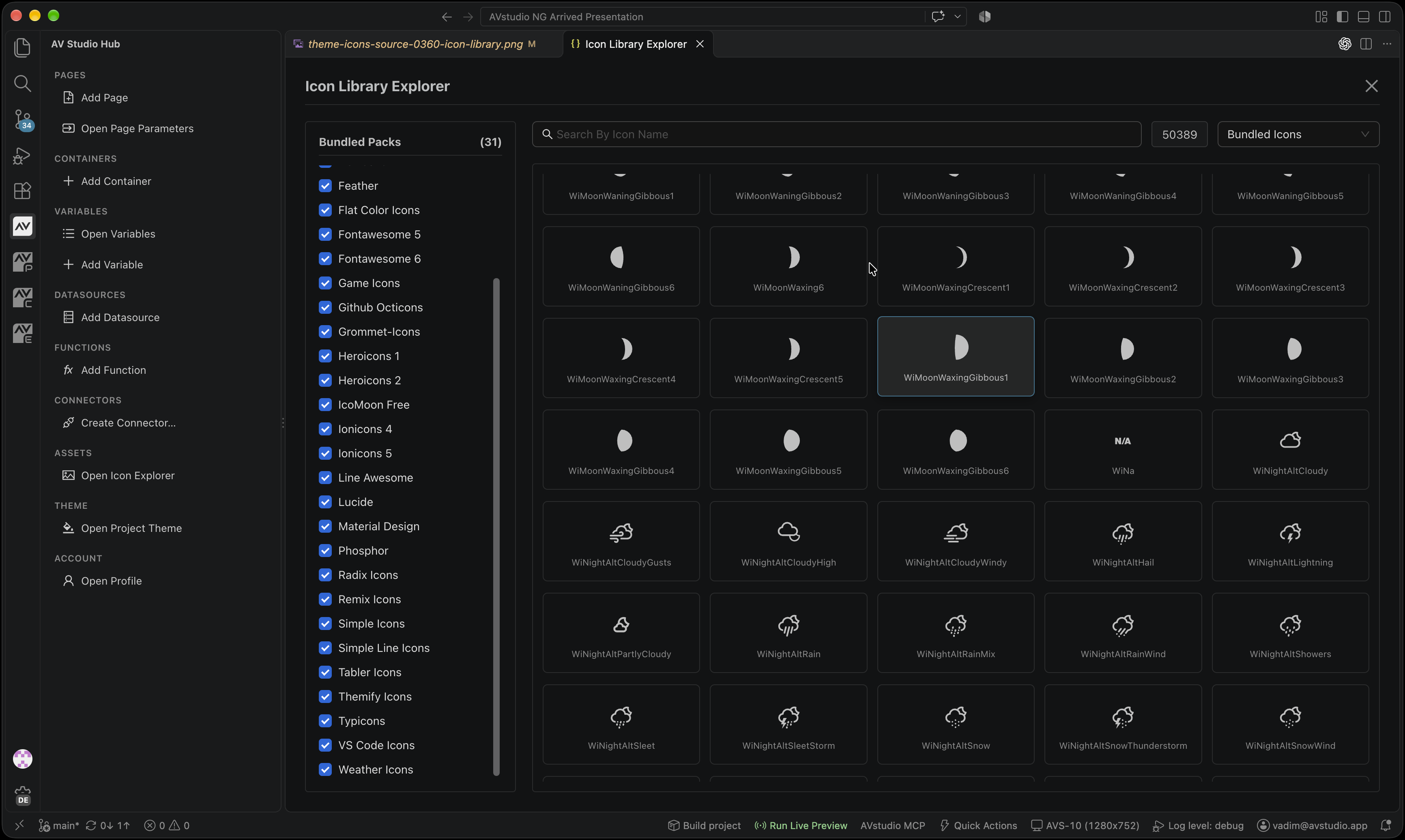
The October 2026 Product Guide capture shows 50,389 icons across 31 packs. Counts describe that captured library; inspect your installed release for its available packs.
The stored iconName is the symbol ID, such as BiHouse, rather than library:icon. Use the picker to obtain a valid name. An icon can disappear if its pack is removed, even when the stored name remains unchanged.
Verify media
Run Run Project Health Check to catch missing local files. Test external URLs and video in both preview and the deployed runtime. Network access and playback support can differ between devices. See Image for MJPEG and Video for HLS and RTSP behavior.