Getting Started with AVstudio
Learn to use AVstudio, explore its features, and get started designing powerful user interfaces.
This article guides you through the essential first steps—setting up your account, logging in, and launching your first project—so you can hit the ground running with AVstudio.
Quick Start Guide
Follow this high-level overview to quickly set up your account, log in, and launch your first project.
Account Setup
👉 Begin by setting up a secure, personalized account.
- Create your account
- Verify your email address
- Complete your user profile
- Choose your subscription plan
First Login
👉 Log in to access your personal dashboard and configure the platform to match your workflow.
- Log in to the platform
- Review the welcome screen
- Set interface preferences
- Configure workspace basics
Platform Overview
👉 Familiarize yourself with the key areas of AVstudio’s user interface.
- Explore the platform
- Identify navigation areas
- Understand project components
- Discover essential tools
Your First Project
👉 Launch a project and begin customizing your interface.
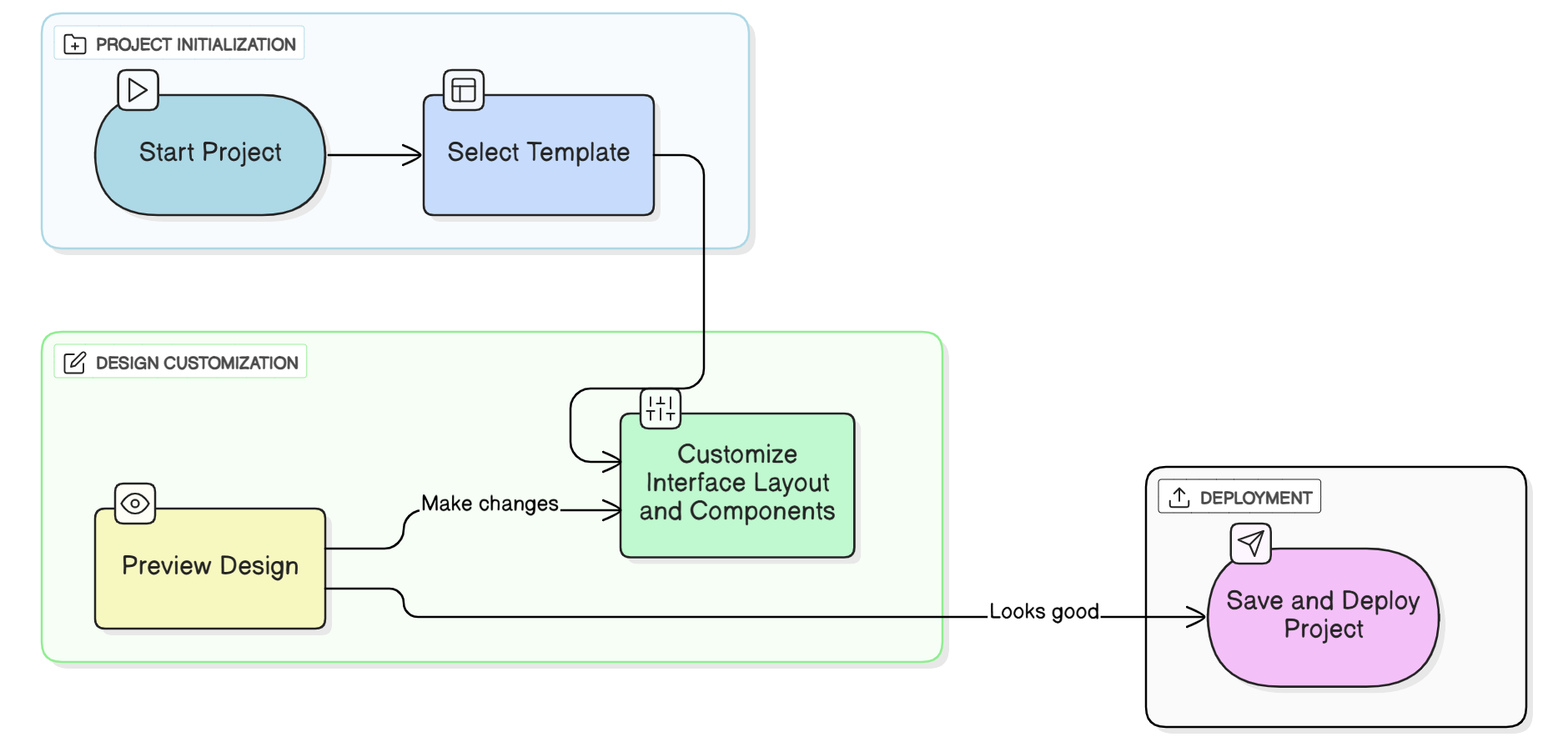
- Create a new project
- Select a template
- Customize the interface layout and components
- Preview your design
- Save and deploy the project
Essential Tools
AVstudio comes equipped with a suite of tools to support interface design, project management, and testing.
Project Dashboard
- Manage multiple projects
- Organize assets and resources
- Collaborate with your team
- Track version history
Design Environment
- Use the widget library for UI components
- Apply themes with the theme selector
- Structure pages with layout tools
- Customize elements in the component editor
Preview & Testing
- See real-time previews
- Simulate various screen sizes and devices
- Debug interactions and layouts
- Run performance checks
Next Steps
Once you’ve completed setup and launched your first project, consider exploring more advanced capabilities:
- Dive into advanced features
- Review example projects
- Follow best practice guides
- Join the AVstudio community
Getting Help
Need assistance while getting started?
- Browse the documentation
- Watch official tutorials
- Contact the AVstudio support team
- Join the user forum for tips and advice
Quick Tips for Success
Here are some practical suggestions to help you get the most out of AVstudio:
👉 Start Small – Begin with simple layouts to understand the basics
👉 Use Templates – Speed up development with pre-built templates
👉 Test Often – Preview frequently to catch design issues early
👉 Save Regularly – Back up your projects as you work
👉 Stay Updated – Check for new features and improvements
🚀 Ready to build your first interface? Jump in and explore AVstudio now!
🚀 New to AVstudio? Explore our demo projects for a hands-on look at the core features in action.
Summary
Getting started with AVstudio is simple and intuitive. By following the steps in this guide, you’ll be ready to create, customize, and launch your first project with confidence. Explore the platform, use the available tools, and take advantage of best practices to make the most of your AVstudio experience from day one.